Navigating the world of android file managers
In the realm of Android file management, the quest for the best app often boils down to individual preferences and specific needs. While ES File Explorer File Manager stands out with its comprehensive feature set, other notable contenders cater to different user priorities. Solid Explorer, renowned for its sleek interface, offers a dual-pane explorer for seamless file movement. Astro File Manager distinguishes itself with Astro Cloud Storage integration, promoting cross-device file management. FX File Explorer's Material Design interface and "Web Access" feature provide a speedy and efficient experience. Total Commander's strength lies in its robust plugin support, offering extended functionality. Amaze File Manager, an open-source option, appeals to those seeking customization and root access. The ultimate choice hinges on personal requirements, whether prioritizing advanced features, simplicity, or a specific user interface. It's advised to explore these options firsthand to discover the Android file manager that best aligns with individual preferences and enhances the overall user experience.
Application manager
The built-in Application Manager sets ES File Explorer File Manager apart by allowing users to categorize, uninstall, back up, and create shortcuts for their applications. This feature streamlines app management, providing users with a centralized hub for controlling their installed apps.
Multilingual support
With support for over 20 languages, ES File Explorer File Manager caters to a diverse user base, making it accessible and user-friendly for individuals worldwide. This commitment to multilingual support enhances the app's inclusivity and usability.
Customizable icons and themes
ES File Explorer File Manager goes beyond basic file management by offering users the ability to customize the visual experience. With three sets of commercial icons for over 100 file types and multiple themes with cool icons, users can personalize the app to suit their preferences, adding a touch of flair to their file management tasks.
Media management
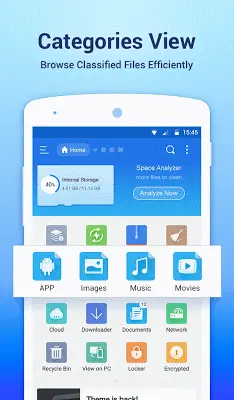
The inclusion of an internal music player, image viewer, and text editor sets ES File Explorer File Manager apart as a multifunctional tool. Users can handle multimedia files more efficiently within the app, eliminating the need for additional third-party applications for basic media playback.
Storage analysis
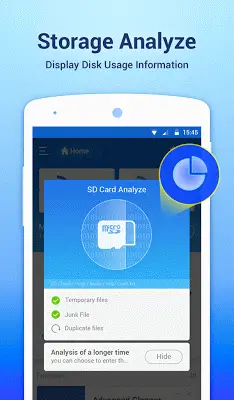
ES File Explorer File Manager takes a proactive approach to storage management by providing users with the ability to analyze local storage. This feature helps users identify and eliminate unnecessary files, contributing to better storage optimization and improved device performance.
Access from PC via FTP
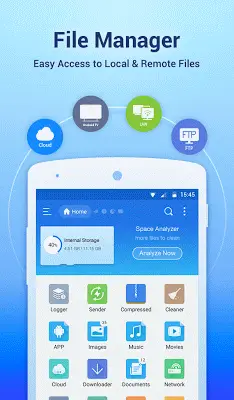
The support for File Transfer Protocol (FTP) distinguishes ES File Explorer File Manager by allowing users to seamlessly manage files on their Android device from a PC. This feature facilitates easy file transfer and management between devices, enhancing the app's versatility.
Root explorer for advanced users
For users seeking advanced control over their device, ES File Explorer File Manager offers a root explorer feature. This capability caters to power users who require access to system files and functions not typically available in standard file management apps.
Comprehensive search and share capabilities
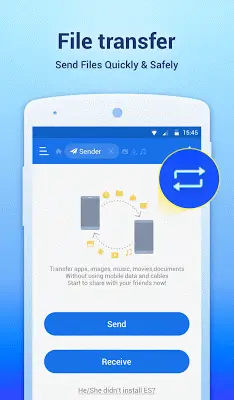
ES File Explorer File Manager facilitates efficient file navigation through its comprehensive search functionality. Users can also seamlessly share files directly from the app, enhancing collaboration and the overall accessibility of files.
Conclusion
ES File Explorer File Manager has earned its reputation as the go-to file management solution for Android users, offering a robust set of features that cater to both basic and advanced file management needs. With its user-friendly interface, comprehensive functionality, and commitment to regular updates, ES File Explorer File Manager continues to be a top choice for individuals seeking an efficient and powerful file management app for their Android devices.